News
16 June 2026
Magento Open Source & Adobe Commerce · Amasty Platinum Partner
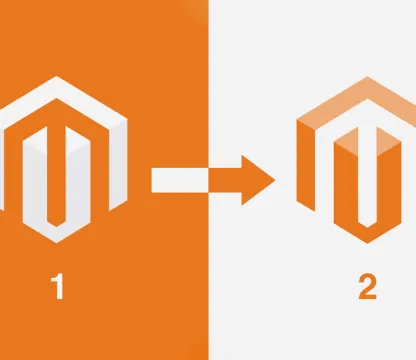
We move your store to Magento 2 from Magento 1 or any other platform, with your catalogue, orders, customers and Google rankings intact. Your current store stays online throughout the migration.
No official support since June 2020. The most common migration path.
Upgrades from older Magento 2 versions to 2.4, with extensions checked.
Replatforming with catalogue, customer and order transfer.
Migration once you have outgrown your current platform.

We migrate your store in 6 steps, without stopping your sales. We do the refresh, and you enjoy the success.
We start from what you have now and analyse the store in detail, so that we are clear about:
We configure the Magento 2 server for loading speed, tailored to your business.
If your current theme is not compatible with Magento 2, we choose together between a custom design and a theme from Magento Marketplace.
We install and customise the extensions, and our certified developers build any that are missing.
Custom code and functionality are migrated with advanced tools, so the process stays smooth.
Products, orders and customer data move to the new store through a secure transfer.
It all starts with a main migration, which involves backing up the databases already in Magento 1. The data transfer takes place during this time. We document every process as we go, so we can resolve any difficulties that come up along the way.
Once the process is complete, you can check that everything went correctly. If it did, all the triggers are set on the existing store's database and the transfer begins for web content, product and customer information and all the files for the Magento 2 installation:
Our team then transfers the changes made during the initial phase:
To protect your business flow, we keep your site live the whole time.
Magento 1 and Magento 2 are not compatible. Each has its own database and a differently designed architecture. Since a direct migration is not possible, our specialists rewrite the functionality from scratch. If you want to keep an extension exactly as it was, our Magento experts can handle that during the migration, just as they can customise anything you need. This is how we build you the perfect online store, a high-performing store that adapts to what your customers want. To make this clearer, here are the three ways we migrate functionality:
Data migration happens in stages:
If a Magento 2 version exists, we reinstall it and transfer the data, automatically or manually.
We install Magento 2 extensions whose functionality is similar to the ones you had in Magento 1.
When no ready-made extension offers a particular feature, we build custom extensions from scratch.
ERP, courier, marketplace and instalment payment integrations already exist, so we do not build them from scratch during the migration.
At its core, Magento integration migration works like replicating an existing feature. Your store will be connected to third-party solutions, to current extensions or to custom ones we build.
Magento 1 and Magento 2 differ in several ways, which means themes are not interchangeable. So what do we do? We find a solution by choosing one of the two options below, and our professional team is always ready to implement the one you pick.
Keeping all your SEO optimisation and building on it matters a great deal for any business, and we have made it a priority. Once the migration is complete, we transfer the SEO settings and set new directions to strengthen organic traffic. Here are some of the changes we take care of:
Your store has to contain a faithful copy of the product catalogue from Magento 1. That is why we pay attention to every detail, from product image settings to special prices and stock inventory.
So you can rest easy. Your new online store will be just the same after the upgrade to Magento 2, with all its original structures and configuration.
And we are exactly what you need. Over the years we have brought back to life and improved a great many online store platforms. We are specialists, with a portfolio that speaks for our skills. Whatever stage your project is at, we take care of its maintenance and upgrades, giving it security and access to every functional benefit of the Magento platform.
New stores on Magento Open Source and Adobe Commerce
View detailsTheme-based interfaces or custom design, for desktop, mobile and tablet.
View detailsERP, couriers, marketplaces, instalment payments, fiscal tools and Google
View detailsUpdates, security and support for your store
View detailsCustom-built features for your store
View details15 modules built for the Romanian market
View details